
Download :
PUTTY
Thursday, January 21, 2010
Tuesday, December 1, 2009
Telkomsel Internet Unlimited activating 10 Desember 2009
Telkomsel internet unlimited has opened registration for activating 10 December 2009, immediately register before running out because the chip is very limited allocation.
Internet Telkomsel is the chip for unlimited internet access with speeds up to 256 kbps up to 500MB quota every month and will be reduced to 64kbs when the quota has been reached.
Internet Telkomsel is the chip for unlimited internet access with speeds up to 256 kbps up to 500MB quota every month and will be reduced to 64kbs when the quota has been reached.
Starter Pack price Rp. 200,000 and monthly costs Rp. 175,000.
Please contact us via YM: gonbulz or sms: 085729471697 for more information
Smadav 2009 Rev 7.4
In Rev. SmadAV 7 times this has been enhanced to be much faster and lighter in detecting and securing your computer from virus threats in Indonesia. New features added such as Smad-Turbo (Scanning 10x faster), Smad-Theme (Changing the color theme), and Smad-Ray (Auto flash is very fast scan). This all makes SmadAV become one of the fastest antivirus and lightest in the world, so SmadAV still be used on computers with lower specifications though. In addition, too many improvements made to the view that the overall SmadAV SmadAV easier and practical to use.
To update SmadAV 2009 Rev 7.4 please download .....
Get SmadAV Pro with a donor SmadAV, send donations through the Bank Mandiri, Bank BCA, or Paypal, the slightest would be very helpful.
For detail donation http://www.smadav.net/donasi.html
Official Website SMADAV
Thursday, November 26, 2009
Fixing Broken Windows XP .......
1. Correcting Installation (Repair Install)
If your Windows XP damaged (corrupted) where you do not have another operating system to boot,
You can do the repair installation (Repair Install) who works as setting (settings)
the beginning.
- Make sure you have the key (key) Windows XP is valid.
- The entire process will take less than 1 / 2 or 1 hour, depending on your computer spec.
- If you asked for an administrator password, you should select the repair option (repair) the second,
not the first.
- Insert your Windows XP CD and do the boot from the CD.
- When it comes second repair option R = Repair, press the R
This will start the repair.
- Press the F8 key to agree the next process "I Agree at the Licensing Agreement"
- Press the R button when the directory where you installed Windows XP. Usually C: \ WINDOWS
Next will be checked drive C: and start copying files.
And automatically restart if needed. Let your CD in the drive.
- Next you will see a picture of "progress bar" which is part of the improvement,
he looks like a normal XP installation normally, including "Collecting Information, Dynamic Update,
Preparing Installation, Installing Windows, Finalizing Installation ".
- When asked, click the Next button
- When asked to enter a keyword, enter the key (key) Windows XP valid.
- Normally you want to remain in the Domain or Workgroup name the same.
- The computer will restart.
- Then you will have the same screen as the activation of the system as a normal installation.
- Register if you want it (usually not necessary).
- Done
Now you can log in with your account that already exists.
__________________________________________________
Monday, November 23, 2009
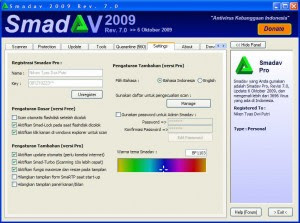
Smadav 2009 Rev 7.3 More Faster Light
Update Smadav 2009 rev 7.3
Download Now
Mirror :
Smadav 2009 rev 7.3
Mirror :
Smadav 2009 rev 7.3

Official Website : www.smadav.net
Key For Activation PRO :
Name : Kaskuser
Key :
085210525628
085820525628
085230525628
098810525628
095220525628
095830525628
075810525628
075220525628
073830525628
Name : iloveufull
Key : 088810500000
Key For Activation PRO :
Name : Kaskuser
Key :
085210525628
085820525628
085230525628
098810525628
095220525628
095830525628
075810525628
075220525628
073830525628
Name : iloveufull
Key : 088810500000
Monday, October 26, 2009
CPNSD Recruitment in Central Java 2009
UPDATE 25-10-2009
Here's the official announcement and the formation of each Kabupaten / City:1 Kabupaten Banjarnegara Download HERE
2 Kabupaten Banyumas Download HERE
3 Kabupaten Batang Download HERE
4 Kabupaten Blora Download HERE
5 Kabupaten Boyolali Download HERE
6 Kabupaten Brebes Download HERE
7 Kabupaten Cilacap Download HERE
8 Kabupaten Demak Download HERE
9 Kabupaten Grobogan Download HERE
10 Kabupaten Jepara Download HERE
11 Kabupaten Karanganyar Download HERE
12 Kabupaten Kebumen Download HERE
13 Kabupaten Kendal Download HERE
14 Kabupaten Klaten Download HERE
15 Kabupaten Kudus Download HERE
16 Kabupaten Magelang Download HERE
17 Kabupaten Pati Download HERE
18 Kabupaten Pekalongan Download HERE
19 Kabupaten Pemalang Download HERE
20 Kabupaten Purbalingga Download HERE
21 Kabupaten Purworejo Download HERE
22 Kabupaten Rembang Download HERE
23 Kabupaten Semarang Download HERE
24 Kabupaten Sragen Download HERE
25 Kabupaten Sukoharjo Download HERE
26 Kabupaten Tegal Download HERE
27 Kabupaten Temanggung Download HERE
28 Kabupaten Wonogiri Download HERE
29 Kabupaten Wonosobo Download HERE
30 Kota Magelang Download HERE
31 Kota Pekalongan Download HERE
32 Kota Salatiga Download HERE
33 Kota Semarang Download HERE
34 Kota Surakarta Download HERE
35 Kota Tegal Download HERE
36 Central Java Provincial Government Download HERE
Registration Requirement flow and all areas Download HERE
Mechanism Registration Download HERE
Implement their own regional Download HERE
Online Registration began October 30, 2009 Click here
Registration Instructions Click here
Source : CPNSD 2009 JATENG
Quote From : http://creativesimo.wordpress.com
Monday, October 19, 2009
XL Starter Pack Services Unlimited Prepaid Internet
 XL Starter Pack Services Unlimited Prepaid Internet is a service high-speed Internet access that can be used unlimited (unlimited) during a specific time period (30 days from activated), by exploiting the availability of GPRS networks, EDGE technology, 3G and HSDPA-XL. With this technology, enables customers to access internet anywhere, anytime (anywhere, anytime).
XL Starter Pack Services Unlimited Prepaid Internet can be directly used and very simple, and inexpensive cost of use. Customers simply activate the SIM Card, and can immediately enjoy the activities of emails, browsing, and chat as much.
Active Period Conditions
Active period SIM Card Service Prepaid Internet Unlimited XL is for 30 days since it was first activated
Counted 30 days from activated, then the XL Service Unlimited Prepaid Internet can not be used and will enter the card grace period for 30 days.
Active Period Conditions of Service
Active Period Card: This is the period of active cards, where cards can be used to enjoy the services provided by XL
Active Period Prime Card Service Prepaid Internet Unlimited XL: It is a period in which SIM Card Service Prepaid Internet Unlimited XL can be used.
Grace: It is a period in which SIM Card Service Prepaid Internet Unlimited XL you can not lead digunakan.Masa valid for 30 days from the time of active berakhir.Untuk card using your SIM card again, then you have to reload (reload).
For detail : 085729471697
Starter Pack Price: Rp. 375.000,-
Monthly Fee Rp. 150.000,-
Monthly Fee Rp. 150.000,-
Seting GPRS &MMS All Operator
IM3
Setting OTA via SMS;
Send an SMS to 3939 with the message:
Type: GPRS [space] brand HP [space] type HP
Manual Setting:
GPRS
Connection Name: M3-GPRS
Access point name: www.indosat-m3.net
User name: gprs
Password: im3
Authentication: Normal
Homepage: http://wap.indosat-m3.net
IP address: 010,019,019,019
Port: 9201 (standard), 8080 (proxy)
MMS
Connection Name: M3-MMS
Access point name: indosatmms
User name: indosatmms
Password: indosatmms
Authentication: Normal
Homepage: http://mmsc.indosat-m3.net
IP address: 010,019,019,019
Port: 9201 (standard), 8080 (proxy)
MATRIX
OTA Setting:
Send an SMS with the message to 888:
ACT [space] GPRS
MENTARI
Setting OTA via SMS;
Send an SMS to 3000 with the message:
Type: GPRS [space] brand HP [space] type HP
Manual Setting:
GPRS
Profile name: indosatgprs
Homepage URL: http://wap.klub-mentari.com
IP Address: 10.19.19.19
Bearer: GPRS
User Name: indosat
Password: indosat
APN: indosatgprs
MMS
Profile name: indosatgprs
Homepage URL: http://mmsc.indosat.com
IP Address: 10.19.19.19:8080
Bearer: GPRS
User Name: indosat
Password: indosat
APN: indosatmms
TELKOMSEL
HALO CARD
Send an SMS to 6616 with the message:
Type: GPRS
SIMPATI CARD / KARTU AS
Send an SMS to 6616 with the message:
Type: GPRS [space] points behind your simcard (Number ICCID / Integrated Circuit Card Identification)
Then wait a while, you will receive SMS confirmation that the GPRS application is being processed. Time it takes about 48 hours. When GPRS is active, you will get another SMS notification stating GPRS is active.
Manual Setting:
GPRS
Profile name: GPRS TSEL
APN: Telkomsel
User name: wap
Password: wap123
Authentication: Normal
Gateway IP address: 10.1.89.130
Homepage: http://wap.telkomsel.com
Data Bearer: GPRS
Proxy port number: 9201 or 8000
MMS
Connection Name: tel-MMS
Data Bearer: GPRS
Access Point Name: mms
Username: wap
Prompt Password: No
Password: wap123
Authentication: Normal
Proxy address: 10.1.89.150
Homepage: http://mms.telkomsel.com/
Connection Security: Off
XL
Setting OTA via SMS;
Type SMS with the content: GPRS [space] [space] Send to 9667
Type SMS with the content: MMS [space] [space] Send to 9667
Manual Setting:
GPRS
Connection Name: XL-GPRS
Data Bearer: GPRS
Access Point Name: www.xlgprs.net
Username: xlgprs
Prompt Password: No
Password: proxl
Authentication: Normal
Homepage: http://wap.lifeinhand.com
Connection Security: Off
Session Mode: Permanent
IP Address: Automatic
Proxy Server Address: 202,152,240,050
Proxy Port Number: 8080
MMS
Connection Name: XL-MMS
Data Bearer: GPRS
Access Point Name: www.xlmms.net
Username: xlgprs
Prompt Password: No
Password: proxl
Authentication: Normal
Homepage: http://mmc.xl.net.id/servlets/mms
Connection Security: Off
Session Mode: Permanent
IP Address: Automatic
Proxy Server Address: 202,152,240,050
Proxy Port Number: 8080
3 (THREE)
Manual Setting:
GPRS
Settings' Name: 3-GPRS
Homepage: http://wap.three.co.id/
Proxies: Enable
Proxy address: 10.4.0.10
Port: 3128
GPRS access point: 3gprs
Authentication type: Normal
Login type: Automatic
Username: 3gprs
Password: 3gprs
MMS
Settings' name: 3-MMS
Homepage: http://mms.hutch.co.id/
GPRS access point: 3mms
Authentication type: Normal
Username: 3mms
Password: 3mms
Allow adverts: No
AXIS CARD
GPRS General Parameters
Connection Name: AXIS
Data Bearer: GPRS or PS
Access Point Name (APN): AXIS
Username: AXIS
Prompt Password: No
Password: 123456
Authentication: Normal
Gateway / Proxy IP Address: 10.8.3.8
Gateway / Proxy Port: 9201 or 8080
Homepage: http://wap.axisworld.co.id
Connection Security: Off
Session Mode: Permanent
MMS General Parameters
Connection Name: AXISmms
Data Bearer: GPRS or PS
Access Point Name (APN): AXISmms
Username: AXIS
Prompt Password: No
Password: 123456
Authentication: Normal
Gateway / Proxy IP Address: 10.8.3.8
Gateway / Proxy Port: 9201 or 8080
Homepage / MMS Server: http://mmsc.AXIS
Connection Security: Off
Session Mode: Permanent
Wednesday, October 14, 2009
Smadav 2009 Rev 7 More Faster Light
 In Rev. SmadAV 7 times this has been enhanced to be much faster and lighter in detecting and securing your computer from virus threats in Indonesia. New features added such as Smad-Turbo (Scanning 10x faster), Smad-Theme (Changing the color theme), Smad-Ray (Auto flash is very fast scan). This all makes SmadAV become one of the fastest antivirus and lightest in the world, so SmadAV still be used on computers with lower specifications though.
In Rev. 7 It also adds a database SmadAV introduction of new viruses that spread across much of Indonesia. The development of local virus currently diminishing as active and not the preceding months. Maybe it's because SmadAV already widely used computer users in Indonesia. Thus, local virus in Indonesia now live a little longer to get to extinction.
In addition, too many improvements made to the view that the overall SmadAV SmadAV easier and practical to use. The following is a description of the new features in SmadAV 2009 Rev 7:
Smad-Turbo (Scanning 10x faster)
Smad-Turbo is one of the fastest antivirus scanning feature in the world that belongs only SmadAV Pro. If the Free SmadAV takes you 20 minutes to scan the entire contents of computer files, using this feature you only need to take approximately 1-2 minutes to scan the entire contents of the file on your computer. So, Scanning SmadAV Pro 10x faster than SmadAV Free to use these Smad-Turbo.
Smad-Theme (Changing color themes)
SmadAV Pro has the ability to change the color theme originally SmadAV green became the color of your choice. On the theme color settings you can find your own color choices for the theme SmadAV. After you change the theme color, the color of all SmadAV display will automatically turn into the color of your choice.
Smad-Ray (Auto flash is very fast scan)
After the flash plug-in computer disks, SmadAV will immediately bring the scan results in the form of notification if your flash is infected with a virus or not, the process is very fast only about 1-5 seconds so you do not need a long wait for the results of scanning the new flash plug.
Repair SmadAV view
Display SmadAV long been considered a user who is still too large and not suitable for some users in Mini Laptop / Netbook. In Rev. This time the display 7 SmadAV been smaller and SmadAV can adjust the size to be used in mini Netbook.
Comparison SmadAV Free & Pro
At the donation tab now has added the comparison table SmadAV Free & Pro. You can click on the lines of this table to see the advantages compared SmadAV SmadAV Pro Free.
Download SmadAV Rev. 2009. 7
11 Reasons for Using SmadAV 2009 Antivirus
1. SmaRTP technology, SMART-Protection
* Protection of the world's lightest, fastest and least resource use computers.
* Not only depend on the number of databases / signatures, but also has the intelligence (intelligent algorithms) that can protect computers from new viruses though.
* Automatic detection of the flash immediately after the plug on the computer.
* Automatic detection when a virus when you are to explore folders
* Can be combined perfectly with all the protection of any antivirus product.
* Supports all OS Windows XP & Vista
2. Smart Scanner
* Technology, the world's fastest anti-virus scanner is only in SmadAV, at least use the computer resource.
* Many heuristic methods for the detection of new viruses and not in the database
* Most comprehensive database of virus in Indonesia because they have a combined database of smart virus detection methods
* Feature "1 viruses by user" and detection of computer system security level "risk value"
* Supports all OS Windows XP & Vista
3. Cleaner
* Just delete the virus files and never delete a document
* Infected documents will be cleaned and restored
* Automatic quarantine documents can not be clean, and do not delete
* Supports all OS Windows XP & Vista
4. Cleaning & repairs Registry
* More than 1000 values in the registry will be scanned and cleaned by SmadAV
* Can serve as a registry repair, computer performance will be better and faster
* Supports all OS Windows XP & Vista
5. Update
* SmadAV continue to follow the development of a widespread virus in Indonesia
* SmadAV will continue to be revised on an ongoing basis in the period varies depending on the virus growth
* Revision SmadAV will always be released every 1,2,3, or 4 weeks.
* Without any updated SmadAV was very smart to recognize the virus independent
* You can monitor the www.smadav.net SmadAV Update
6. Manual is very easy weapon to use
* 1 Virus by user, find out which files to your computer odd, then Exterminate with SmadAV.
* Process Manager, to monitor and manipulate all processes in memory
* System Editor, change the settings and important secret in windows
7. Free
* Anda tidak perlu membayar sedikit pun untuk menggunakan Smadav sepenuhnya
* There is only ad / ads / banner on the site and program to cover the cost SmadAV SmadAV development & hosting site
* You can become donors to support the development of anti-virus technology in Indonesia
8. SmadAV Team is a professional team
* Founder / Programmer is a student in one of the leading Universities in Indonesia and Freelancers (remote workers) experienced Freelance & Programming companies the best in the U.S., with a rating of 9.75/10 and has completed more than 50 programming projects.
* Team is a team SmadAV antivirus and collection volunteers terhandal Indonesia
* Has 3 divisions supro (programmer support), viser (virus researcher), and forweb (forums & web)
* Seriously, only the science and practice aimed at promoting technology, did not aim for profit
9. Portable and support all Windows OS
* Do not need to be installed
* Only one. Exe file with a very small size
* Not always in the hard disk, can be placed in flash, CD / DVD, or other removable media.
* Supports all OS Windows XP & Vista for all of the features in SmadAV (Scanner, SmaRTP, Registry-Cleaner, etc..)
10. Site best and most complete antivirus
* Sites that light, fast, and beautiful in www.smadav.net
* Upload a virus very easily and quickly in viri.4shared.com
* There are forums for discussion and antivirus for help
* There is a place to chat in the Smad-Chat www.smadav.net
* Site information Nafarin.com as viruses and the latest anti-virus in Indonesia
11. The secret features?
* For the next revision, SmadAV Team has prepared many features incredible secrets
* Secret features are very unusual, new, and Indonesia in particular will surprise Smadavers (User SmadAV)
* Programmers are developing this feature, and if it is perfect will soon be released
* What features secret? because the secret so just wait the time comes ...
Regards,
Zainuddin Nafarin
(SmadAV Founder)
Quote from www.smadav.net
Thursday, September 17, 2009
E-Flash Unlimited Internet
 e-Flash Unlimited Internet presence for your Internet Access
Prime Rp. 195,000
Per month. Rp. 175,000
Per month. Rp. 175,000
e-Flash is a wireless internet service (wireless) high speed working with Telkomsel provider accessible via a laptop, PDA, Smart Phone and PC (desktop) connected with a data modem card, phone or router.
Terms and conditions of subscription to e-Flash Unlimited Internet
1. Product name is e-Flash, this service is only for data access (internet unlimited)
2. This service is no service level agreement, means speed to access e-Flash UNLIMITED INTERNET can vary depending on network coverage, location, device used, the number of network users and the type / volume of data being accessed.
Benefits e-Flash:
1. Users do not need to be bothered to do the registration in GraPARI
2. Smooth and stable connection (Kalo BTS in the local area are not maintenance)
3. Unlimited and Affordable
4. Requirement does not require any ID or survey.
Advantages of e-Flash :
1. High Speed Access Up to 256 kbps, with UNLIMITED usage
2. High Mobility, e-Flash can be used in cell phones, PDA, Smart Phone, Laptop, & Desktop using GSM modem anytime and anywhere
3. SIM Card will be sent directly to the address of the user at no additional cost, survey and must wait longer and is more practical and efficient
4. The second month and so on are paid through accounts at the point, so stay trasfer only and do not bother to go to GraPARI.
NETWORK COVERAGE
1. HSDPA Coverage
Telkomsel has deployed HSDPA Coverage in 31 major cities in Indonesia (and will always increase), with HSDPA Coverage e-Flash users can access the Internet with downlink speeds up to 3.2 Mbps.
1. JAKARTA PUSAT
2. JAKARTA SELATAN
3. JAKARTA BARAT
4. JAKARTA TIMUR
5. DEPOK
6. BEKASI
7. TANGERANG
8. BOGOR
9. BANDUNG
10. CIREBON11. SEMARANG
12. TEMANGGUNG
13. SOLO
14. YOGYAKARTA
15. PURWOKERTO
16. SURABAYA
17. MALANG
18. GRESIK
19. SIDOARJO
20. BALI
21. BALIKPAPAN
22. BANDA ACEH
23. MEDAN
24. PELALAWAN
25. PERAWANG
26. BATAM
27. Pekanbaru
28. PALEMBANG
29. MAKASAR
2. 3G/UMTS Coverage
Central Jakarta, West Jakarta, South Jakarta, East Jakarta, Cilegon, Serang, Tangerang City, Bekasi, Depok, Bogor, Karawang, Subang, Cikampek, Purwakarta, Bandung, Ciamis, Tasikmalaya, Kuningan, Sumedang, Garut, Cirebon, Boyolali, Brebes , Semarang, Banjarnegara, Holy, Kebumen, Jepara, Magelang, Majenang, Purbalingga, Tegal, Temanggung, Sragen, Solo, Salatiga, Sukoharjo, Wonosobo, Rembang, Purworejo, Pekalongan, Pemalang, Pati, Cilacap, Purwokerto, Yogyakarta, Banda Aceh, Lhoksumawe, Langsa, Medan, Siantar, Sibolga, Range, Tanjung Balai Asahan, Pekanbaru, Pelalawan, Perawang, Batam, Tanjung Pinang, Padang, Bukit Tinggi, Jambi, Palembang, Bandar Lampung, Surabaya, Malang, Jakarta, Banyuwangi, Blitar, Bojonegoro, Gresik, Jember, Jombang, Kediri, Madiun, Lamongan, Mojokerto, Sampang, Nganjuk, Ngawi, Pamekasan, Pasuruan, Ponorogo, Probolinggo, Sidoarjo, Tuban, Tulung Agung, Sumenep, Denpasar, Mataram, Kupang, Pontianak, Banjarmasin, Samarinda , Balikpapan, Makassar, Gorontalo
When will be an e-Flash?
Every month open enrollment twice
1. BC 1 (first month) Ready Stock tgl 2-4
2. BC 2 (mid) Ready Stock tgl 10-19
If the existing card can be sent immediately.
card is sent to be automatically activated maximal 1-2 days
Please note that BC on top when the message out in BC yg mana.
Extended Payment Method e-Flash :
Initial payment, in the second and so on through the Rec yg available BCA, Mandiri, BNI and date not later than 23 (for BC 1) and the date 10 (for BC 2) at maturity 20.00WIB each month and Receipt of transfer MUST be sent via email, SMS, or IM. If no confirmation from the user will automatically be on the block of Telkomsel, and the card was in the block can not be used again
Device Settings:
Profile: Tsel Broadband
APN: Internet or Telkomsel (Recommended to use the Internet APN)
Username Password blank Only
Authentication: PAP
More Info Contact:
MOH AGENG RIYADI
SMS: 085729471697 / 08812725279 / 08175484410
SmadAV 2009 Rev. 6.4.
Confused looking for local antivirus? Find the answers here. Original artificial antivirus SmadAV Indonesia, very powerful way to eradicate the existing local viruses so far. Up to now been released SmadAV 2009 Rev. 6.4.
 SmadAV 2009 Rev. 6.4. finally released to the public after the refined and tested for a month or more in the lab SmadAV. The revision this time is the biggest revision ever done in SmadAV. You could say this is the best version ever SmadAV. So many improvements have been made, the main improvement is the engine scanner, quarantine feature, registration key protection, error handling, and much more. For a more complete list please see the bottom.
In Rev. 6 times this has added detection and cleaning thoroughly local 100 new viruses, among which are many viruses spread is AlbumBokep, Yuyun, Deadlock, Fullhouse, etc.. From this moment will be more accurate SmadAV the removal / cleaning of files, document files (doc or xls) now can be cleaned from virus infection without mengkarantinanya. Rev. 6 using the scanning technique and a new heuristic faster and more accurate for detecting viruses existing in the database and the new variant virus.
The following is a complete list of 2009 Rev. SmadAV Improvement. 6:
[General]
* Quarantine far more perfect and encryption features added
* Completion of Registration Key protection to prevent piracy
* Adding fix all button on the form minimize
* The position coordinates of the form / window SmadAV be saved when exit
* Bug / failed to restore files from quarantine when the path to the file already in use other files
* Bug / fail to explore the folder if folder name has a comma character (,)
* Bug / crash in some circumstances when SmadAV active as a guest on Windows XP
* No longer too much access to the floppy
* Completion of the form view in some parts
* Improving the features message and exit the form minimize
* It can display Unicode MessageBox
[Scanner]
* SmadAV would advise you to do Full Scanning after cleaning the infection
* Key to display after scanning smadav.log
* SmadAV been able to write Smadav.log in Unicode or ANSI text
* Repair bug / fail display and remove a few buttons on the Scanner in certain circumstances
[Scanner-Engine]
* Added database and thoroughly cleaning the latest 100 local virus
* The main engine has been refined so much more stable, fast, and accurate
* Technique of new heuristics to detect viruses without the need for a database VBS
* Technique of new heuristics to detect viruses shortcut
* Mea doc and xls files infected with viruses
* Clean thoroughly new Local Virus: Virus AlbumBokep, Deadlock, Fullhouse
* Detection Virus Alman, Conficker and Fusion Virus
* Detection Test File Eicar (international virus testing standards)
* Cleaning the host file
* Improved heuristic False Positive on VBS
* Code (API) for reading faster command line processes VBS virus
[SmaRTP]
* SmaRTP much more stable and lighter
* Features Uninstall to uninstall the protection of the system SmadAV
* New Flashdisk will plug directly scanned SmadAV
* SmaRTP will lock the files when a virus is detected so that the file could not be accessed
* Completion of the process of elimination SmaRTP soon update it with the latest SmaRTP
* Improved bug in Vista, scanner failed to open the tray icon Smartp.
* Right-click the "Scan with SmadAV" only installed when installed SmaRTP
* [SmadAV Pro] Password only when the exit SmaRTP asked, changing settings, and use of tools.
* Change the folder structure of the Smad-Lock
* Not scanning system / registry when Auto-Scan Flashdisk
[Update 6.2]
The following is a complete list of 2009 Rev. SmadAV Improvement. 6.2:
* Detection of sality virus that infects other programs
* Clean virus AlbumBokep more accurate and complete
* Improved False Detection in a script file
* Improved False Detection in some dll files are detected as Conficker
* Create a shortcut on the desktop when installing SmaRTP
* Improvement of detection Hidden Files on Flashdisk
* Completion of the virus database structure
* Engine Scanner largely replaced by new techniques
* Completion of quarantine feature
* Improved the failure of the automatic scan flashdisk
* Added icon in the list of virus detection and quarantine
* Making smadav.log files after scanning is faster
* The install SmadAV the Program Files folder in the Windows folder is not longer
* And many other improvements ...
[Update 6.3]
The following is a complete list of 2009 Rev. SmadAV Improvement. 6.3:
* Completion of handling & Alman sality virus that infects exe files
* Added icon in the explorer right click "Scan with SmadAV"
* Improved bug in the explorer right click "Scan with SmadAV" which opened a lot of scanners
* Improvements to the structure of the virus detection engine
[Update 6.4]
The following is a complete list of 2009 Rev. SmadAV Improvement. 6.4:
* Adding a local database of hundreds of new viruses
* Improved detection for more accurate Sality
* Improved error detection on some files
* [SmadAV Pro] scanning exclusion list (Exception List)
* [SmadAV Pro] Eliminating the right panel (Panel Hide)
* Adding option and right click the checkbox in the alert view SmadAV
* Improved bug in the scanning files larger than about 1 GB
* Added status display hidden in the form of auto-scan flashdisk
* Improved scanning process bug when right-click "Scan with SmadAV"
* Improved bug right click "Scan with SmadAV" in Vista
* Improved detection bug in LNK
Please direct download SmadAV Rev. 2009. 6.4 or Mirror
Quoted from www.smadav.net
 SmadAV 2009 Rev. 6.4. finally released to the public after the refined and tested for a month or more in the lab SmadAV. The revision this time is the biggest revision ever done in SmadAV. You could say this is the best version ever SmadAV. So many improvements have been made, the main improvement is the engine scanner, quarantine feature, registration key protection, error handling, and much more. For a more complete list please see the bottom.
In Rev. 6 times this has added detection and cleaning thoroughly local 100 new viruses, among which are many viruses spread is AlbumBokep, Yuyun, Deadlock, Fullhouse, etc.. From this moment will be more accurate SmadAV the removal / cleaning of files, document files (doc or xls) now can be cleaned from virus infection without mengkarantinanya. Rev. 6 using the scanning technique and a new heuristic faster and more accurate for detecting viruses existing in the database and the new variant virus.
The following is a complete list of 2009 Rev. SmadAV Improvement. 6:
[General]
* Quarantine far more perfect and encryption features added
* Completion of Registration Key protection to prevent piracy
* Adding fix all button on the form minimize
* The position coordinates of the form / window SmadAV be saved when exit
* Bug / failed to restore files from quarantine when the path to the file already in use other files
* Bug / fail to explore the folder if folder name has a comma character (,)
* Bug / crash in some circumstances when SmadAV active as a guest on Windows XP
* No longer too much access to the floppy
* Completion of the form view in some parts
* Improving the features message and exit the form minimize
* It can display Unicode MessageBox
[Scanner]
* SmadAV would advise you to do Full Scanning after cleaning the infection
* Key to display after scanning smadav.log
* SmadAV been able to write Smadav.log in Unicode or ANSI text
* Repair bug / fail display and remove a few buttons on the Scanner in certain circumstances
[Scanner-Engine]
* Added database and thoroughly cleaning the latest 100 local virus
* The main engine has been refined so much more stable, fast, and accurate
* Technique of new heuristics to detect viruses without the need for a database VBS
* Technique of new heuristics to detect viruses shortcut
* Mea doc and xls files infected with viruses
* Clean thoroughly new Local Virus: Virus AlbumBokep, Deadlock, Fullhouse
* Detection Virus Alman, Conficker and Fusion Virus
* Detection Test File Eicar (international virus testing standards)
* Cleaning the host file
* Improved heuristic False Positive on VBS
* Code (API) for reading faster command line processes VBS virus
[SmaRTP]
* SmaRTP much more stable and lighter
* Features Uninstall to uninstall the protection of the system SmadAV
* New Flashdisk will plug directly scanned SmadAV
* SmaRTP will lock the files when a virus is detected so that the file could not be accessed
* Completion of the process of elimination SmaRTP soon update it with the latest SmaRTP
* Improved bug in Vista, scanner failed to open the tray icon Smartp.
* Right-click the "Scan with SmadAV" only installed when installed SmaRTP
* [SmadAV Pro] Password only when the exit SmaRTP asked, changing settings, and use of tools.
* Change the folder structure of the Smad-Lock
* Not scanning system / registry when Auto-Scan Flashdisk
[Update 6.2]
The following is a complete list of 2009 Rev. SmadAV Improvement. 6.2:
* Detection of sality virus that infects other programs
* Clean virus AlbumBokep more accurate and complete
* Improved False Detection in a script file
* Improved False Detection in some dll files are detected as Conficker
* Create a shortcut on the desktop when installing SmaRTP
* Improvement of detection Hidden Files on Flashdisk
* Completion of the virus database structure
* Engine Scanner largely replaced by new techniques
* Completion of quarantine feature
* Improved the failure of the automatic scan flashdisk
* Added icon in the list of virus detection and quarantine
* Making smadav.log files after scanning is faster
* The install SmadAV the Program Files folder in the Windows folder is not longer
* And many other improvements ...
[Update 6.3]
The following is a complete list of 2009 Rev. SmadAV Improvement. 6.3:
* Completion of handling & Alman sality virus that infects exe files
* Added icon in the explorer right click "Scan with SmadAV"
* Improved bug in the explorer right click "Scan with SmadAV" which opened a lot of scanners
* Improvements to the structure of the virus detection engine
[Update 6.4]
The following is a complete list of 2009 Rev. SmadAV Improvement. 6.4:
* Adding a local database of hundreds of new viruses
* Improved detection for more accurate Sality
* Improved error detection on some files
* [SmadAV Pro] scanning exclusion list (Exception List)
* [SmadAV Pro] Eliminating the right panel (Panel Hide)
* Adding option and right click the checkbox in the alert view SmadAV
* Improved bug in the scanning files larger than about 1 GB
* Added status display hidden in the form of auto-scan flashdisk
* Improved scanning process bug when right-click "Scan with SmadAV"
* Improved bug right click "Scan with SmadAV" in Vista
* Improved detection bug in LNK
Please direct download SmadAV Rev. 2009. 6.4 or Mirror
Quoted from www.smadav.net
Saturday, August 22, 2009
Windows Se7en

Maybe you heard of Windows 7, so that the next generation of the family is a follow-windows windows vista. Windows vista is the next-generation display windows with a very good and stunning, but behind the disk space that we need also large as well as the RAM is required, this also parogram with the result that seemed to run so slow when compared with Windows XP.
In windows 7 is felt that once the differences are huge when compared with the vista, the program is very lightweight with a very good view. Indeed, Windows 7 has not been released for the Retail, planned in October 2009 for the future so that interested want to buy it can wait 2 more weeks.
Before buying a product is 2 weeks to come, you can try it out first for free that is almost the same with windows 7 that will be launched later October.System requirements:
x86 / 32-bit:
* 1GHz or faster processor
* 1 GB of RAM
* 16 GB of available disk space
* DirectX 9 graphics device with Windows Display Driver Model 1.0 or higher drivers
x64 / 64-bit:
* 1GHz or faster processor
* 2 GB of RAM
* 20 GB of available disk space
* DirectX 9 graphics device with Windows Display Driver Model 1.0 or higher drivers
 Link to download:
Windows 7 RTM build 7600
x86 / 32-bit:
Link 1
Link2
Link3
Link4
Link4
Link5
x64 / 64-bit:
Link1x64
Link2x64
Link3x64
Link4x64
Link5x64
Link6x64
Link7x64
Link8x64
Windows 7 build 7100 RC:
x86 / 32-bit:
Win7Bulid7100RC32bit
x64 / 64-bit:
Win7Build7100RC64bit
HOW TO INSTALL WINDOWS 7:
a. Download It
Download the installer file in the / in the ISO format on the link above.
b. Burn It 2 DVD
Use eg Nero Burning Software etc. wat burn ISO file into DVD
c. Boot Via DVD n Install It
Log in to replace the first in the BIOS to boot CD / DVD rom ago you save & quit. Press any button on any posts appear "Press Any Key to boot via CD / DVD Install ...", then it ...
d. Use the Key
- Windows 7 build 7600: empty the serial number column
e. It activated
Windows 7 build 7600 Activation
f. Update It
Use facility Microsoft Update / Windows Update is available in Windows 7
g. Finish
Ur Windows 7 is ready ...
For Detail visit : Microsoft
From Forum www.kaskus.us
If you need a DVD installer will be able to contact us via sms 085729471697 with the only cost to replace the DVD and postage of Rp. 40,000
Telkomsel Internet Unlimited Sepetember 2009
Sign up soon for activation 10 September 2009
(contact us for more information)
(contact us for more information)
Unlimited Internet TELKOMSEL is a product of Telkomsel for unlimited internet access with speeds up to 256kbps on 3G and HSDPA signals and speed will be 64kbps after declining quota volume exceeded 3GB.
We sell the chip TELKOMSEL Unlimited Internet access for your internet, stay up because the chip does not require ID cards or identity of the survey or in other words chip IM. Monthly payment between 5 - 10 every month.
We sell the chip TELKOMSEL Unlimited Internet access for your internet, stay up because the chip does not require ID cards or identity of the survey or in other words chip IM. Monthly payment between 5 - 10 every month.

To get the chip TELKOMSEL Unlimited Internet you only charged an activation fee Rp. 25.000, - plus the cost of the first month Rp. 160,000, - or Rp.185,000, - (All excluding postage) and for the monthly cost of funds is spent Rp. 160.000.
For bookings can be done before the date 10 before the date of each month and the card will be active 10 -16 every month, the card will be sent after the card is active.
This chip can only be used for internet just can not be used for phone calls and sms.
For reservations please fill the following data:
Full name:
Full Address:
Number of orders:
Address:
No HP / Tlp:
YM:
Then please send it via email => gonbulz@yahoo.com or can also sms to 085729471697 or ym: gonbulz
CHERRY EVO Unlimited
CP: Mazagenk
Jl. Soeprapto Letjend no 222 Mranti Purworejo
Central Java Indonesia
087837630125 / 085729471697
gonbulz@yahoo.com
RESELLER WELCOME
Wednesday, July 29, 2009
Telkomsel Internet Merdeka Edition
Sign up soon for activation 10 August 2009
(contact us for more information)
(contact us for more information)
Unlimited Internet TELKOMSEL is a product of Telkomsel for unlimited internet access with speeds up to 256kbps on 3G and HSDPA signals and speed will be 64kbps after declining quota volume exceeded 3GB.
We sell the chip TELKOMSEL Unlimited Internet access for your internet, stay up because the chip does not require ID cards or identity of the survey or in other words chip IM. Monthly payment between 5 - 10 and 20 - 23 every month.
We sell the chip TELKOMSEL Unlimited Internet access for your internet, stay up because the chip does not require ID cards or identity of the survey or in other words chip IM. Monthly payment between 5 - 10 and 20 - 23 every month.
To get the chip TELKOMSEL Unlimited Internet you only charged an activation fee Rp. 25.000, - plus the cost of the first month Rp. 160,000, - or Rp.185,000, - (All excluding postage) and for the monthly cost of funds is spent Rp. 160.000.
For bookings can be done before the date 13, and 27 before the date of each month and the card will be active tgl 1 and 16 every bulanya, the card will be sent after the card is active.
This chip can only be used for internet just can not be used for phone calls and sms.
For reservations please fill the following data:
Full name:
Full Address:
Number of orders:
Address:
No HP / Tlp:
YM:
Then please send it via email => gonbulz@yahoo.com or can also sms to 085729471697 or ym: gonbulz
CHERRY EVO Unlimited
CP: Mazagenk
Jl. Soeprapto Letjend no 222 Mranti Purworejo
Central Java Indonesia
087837630125 / 085729471697
gonbulz@yahoo.com
Sunday, July 26, 2009
Remote your computer desktop
The Remote Desktop feature is only available in Windows XP Professional. It's not included with Windows XP Home Edition. For more information about how Remote Desktop Web Connection works, see About Remote Desktop Web Connection.
The first step in enabling Remote Desktop Web Connection is to install the necessary software on the host computer. Remote Desktop Web Connection is an optional World Wide Web Service component of Internet Information Services (IIS), which is included by default in Windows XP Professional. IIS responds to requests from a Web browser. Have your Windows XP Professional CD handy, and follow these steps:
| 1. | Open Control Panel click Add or Remove Programs, and then click Add/Remove Windows Components. |
| 2. | Click Internet Information Services, and then click Details. |
| 3. | In the Subcomponents of Internet Information Services list, click World Wide Web Service, and then click Details. |
| 4. | In the Subcomponents of World Wide Web Service list, select the Remote Desktop Web Connection check box, and then clickOK. |
| 5. | In the Windows Components Wizard, click Next. Click Finish when the wizard has completed. |
| 6. | Click the Start button and click Run. Type Net Stop w3svc, and click OK. This temporarily stops the World Wide Web service to keep your system safe while you update it with security patches. |
Enabling IIS without installing the appropriate security patches can make your system vulnerable to intruders. For more information, readMicrosoft Security Bulletin MS01-018 and Security and Privacy for Home Users.
To check for updates:
| 1. | Click Start, point to All Programs, click Microsoft Update, and then click Scan for updates. Follow the prompts to install all critical updates. If prompted, restart your computer. |
| 2. | Click Start, and then click Run. Type Net Start w3svc, and click OK. This starts the World Wide Web service. |
Configure Internet Information Services
By default, IIS is identified on your computer by the TCP port number 80. The steps in this section change the TCP port number and make it much more difficult for a potential attacker to communicate with your computer. The steps in this section are optional, but if you do follow them, you'll dramatically improve the security of your system. If you are already using your computer as a Web server, you should leave the TCP port number at the default setting of 80.
| 1. | Open Control Panel, click Performance and Maintenance, and then click Administrative Tools. Double-click Internet Information Services. | ||||||||||||||||
| 2. | In the ISS snap-in, expand your computer name, expand Web Sites, right-click Default Web Site, and then click Properties. | ||||||||||||||||
| 3. | On the Web Site tab, change the value for TCP Port. | ||||||||||||||||
| 4. | Click OK, and close the Internet Information Services snap-in. Configure Remote Desktop To connect using Remote Desktop, you must have a user account with a password. If you don't yet have a password on your account, create a password by opening Control Panel, and clicking User Accounts. Click your account, click Create a password, and follow the prompts. After you have a password, follow these steps to enable Remote Desktop:
|


Friday, July 24, 2009
Eliminate ads on Yahoo Messenger 9 on Windows hosts File
Here is the ad in the yahoo messenger 9 using the windows hosts file:
First change the folder option and un-check the hide operating system files. Then if you use windows vista, open with notepad and right click run as administrator (if there is a warning, please press continue, please login if login with your vista user and password). Once notepad is open click File>> open
Then open hosts file in the c: \ Windows \ System32 \ drivers \ etc \ hosts
on the last line in the host file has been opened in notepad add:
127.0.0.1 insider.msg.yahoo.com
so it will usually look like this:
127.0.0.1 insider.msg.yahoo.com
127.0.0.1 localhost
:: 1 localhost
Save the file and then run Yahoo Messenger 9, and you saw with your own eyes if the ad or ads in ym 9 was lost. Can be implemented in windows xp, 2000, vista or other.
Little explanation :
command in the host file in windows can be used as a dns server from our ISP. This means so: we can membypass a website address to a particular server without passing through our ISP. Thus, when the address of a site included in the hosts file then the internet connection we will read the file and host an existing domain (url or web address that is) in the hosts file will be directed to the IP in accordance with the written in and no longer through ISP DNS our internet connection.
In the case of ad ym is the process so well: when the normal ad in yahoo messenger in our load or retrieved from the server with a particular Internet address. Now if we could direct internet address is not to go to my server but other servers to an empty (such as hard drives to us) then this will cause the calling process (load) so the ad does not show alias error. So it happens.
Of course, if in the url address that we bypass the hosts file also contains a proses2 other things then this will also mengakitbatkan process is also barren.
In the case of omission ads or ads in yahoo messenger with membypass url insider.msg.yahoo.com then all the processes through this url so barren also: such a plugin2 or yahoo mail and other notification.
First change the folder option and un-check the hide operating system files. Then if you use windows vista, open with notepad and right click run as administrator (if there is a warning, please press continue, please login if login with your vista user and password). Once notepad is open click File>> open
Then open hosts file in the c: \ Windows \ System32 \ drivers \ etc \ hosts
on the last line in the host file has been opened in notepad add:
127.0.0.1 insider.msg.yahoo.com
so it will usually look like this:
127.0.0.1 insider.msg.yahoo.com
127.0.0.1 localhost
:: 1 localhost
Save the file and then run Yahoo Messenger 9, and you saw with your own eyes if the ad or ads in ym 9 was lost. Can be implemented in windows xp, 2000, vista or other.
Little explanation :
command in the host file in windows can be used as a dns server from our ISP. This means so: we can membypass a website address to a particular server without passing through our ISP. Thus, when the address of a site included in the hosts file then the internet connection we will read the file and host an existing domain (url or web address that is) in the hosts file will be directed to the IP in accordance with the written in and no longer through ISP DNS our internet connection.
In the case of ad ym is the process so well: when the normal ad in yahoo messenger in our load or retrieved from the server with a particular Internet address. Now if we could direct internet address is not to go to my server but other servers to an empty (such as hard drives to us) then this will cause the calling process (load) so the ad does not show alias error. So it happens.
Of course, if in the url address that we bypass the hosts file also contains a proses2 other things then this will also mengakitbatkan process is also barren.
In the case of omission ads or ads in yahoo messenger with membypass url insider.msg.yahoo.com then all the processes through this url so barren also: such a plugin2 or yahoo mail and other notification.
So it's up to you all ..
Just sharing ... if there is one please be pardoned
By :Haqiqie Suluh => http://haqiqie.wordpress.com
Monday, July 20, 2009
Tips download Free Microsoft Antivirus
Microsoft Security Essentials is a free antivirus from Microsoft. Beta version of this product already can be downloaded for operating systems like Microsoft Windows 7 Beta and RC (32 or 64 bit), Vista RTM, SP1 and SP2 and SP3 Windows XP 32 bit. How to download also include easy. Here are 6 tips to install the Microsoft Security Essentials Beta that has been mixed detikINET:
1. Make sure that the minimum PC specifications have been met to run this application. But do not worry, because this software, including light. The following are the minimum specifications:
* For XP-CPU with clock speed 500 MHz or higher
* For XP - Memory: 256 MB RAM or higher
* For Vista / W7 - CPU with clock speed 1.0 GHz or higher
* For Vista / W7 - Memory: 1 GB RAM or higher
* VGA (Display): 800 x 600 or higher
* Storage: 140 MB
2. Make sure the operating system used, whether 32 bit or 64 bit.
3. Download the following Microsoft site. Previous user must do registration Microsoft Connect first, then to fill the short survey from Microsoft.
4. In the download, select the appropriate operating system.
5. Select your location, then click 'Download' under the Single File Download any posts.
6. Then open the file unduhan results, and follow the instructions next to the Microsoft Security Essentilas installed.
Selamat mencoba.
Update:Apparently, Microsoft limited the number of download Microsoft Security Essentials can be done. For that some users may encounter the following message from Microsoft when it wanted download anti-virus:Thank you for your interest in joining the Microsoft Security Essentials Beta. We are not accepting additional participants at this time. Please check back at a later date for possible additional availability.
As an alternative, the site provides Softpedia download MSE for several versions:
- MSE for Windows XP
- MSE & 7 for Windows Vista 32 bit
- MSE & 7 for Windows Vista 64 bit
Please note that links to a page that is alternative download Softpedia server to server and not Microsoft.
By : Fajar Widiantoro - detikinet
Subscribe to:
Posts (Atom)


